
Finding your information
How to read a day/night meter
3 min read
Day/night meters record your electricity separately for daytime and night-time hours. Mechanical meters show both readings on two separate displays, while electronic meters allow you to switch between readings on the screen.
Reading a mechanical meter
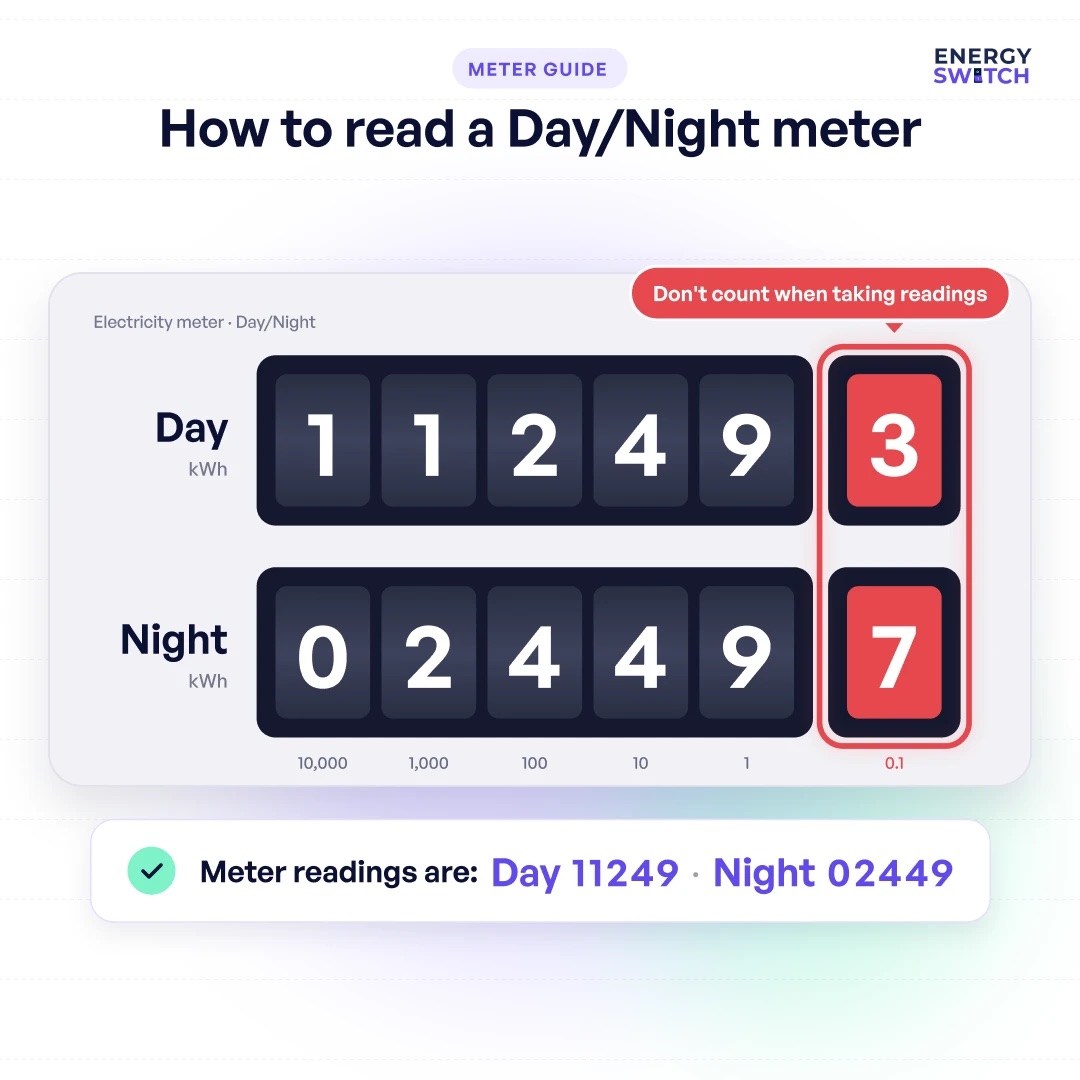
There are two separate displays on a mechanical day/night meter, as well as a revolving dial below them. The top display shows your cumulative daytime electricity usage, and the bottom display does the same for night-time hours.
The numbers in red represent fractions of electricity units, and should be ignored when taking readings.
- Read all of the numbers on each display from left to right.
- Ignore any numbers on the right hand side in red, or which are in a red box.
- Include any 0 digits at the start of the reading on the left.
Reading an electronic meter
On an electronic day/night meter, your usage is shown on a screen. To read this:
- Read all the digits on the display from left to right
- Include any 0 digits at the start of the reading on the left
- If there is a comma or decimal point, ignore any digits to the right of it
The push button is used to switch between different readings for total electricity consumption, day usage, and night usage as well as other information.
| Button presses | Meter display |
|---|---|
| Press once | Current date |
| Press twice | Current time |
| Press three times | Total meter reading |
| Press four times | Daytime reading |
| Press five times | Night-time reading |
| Press six times | Display test |
Working out how much electricity you have used
To see how much electricity you have used recently, subtract your older reading from the current one. The result is your kWh usage. Do this separately for the day and night readings.
FAQs
Do I have to submit meter readings?
If you don’t have a smart meter, you should submit regular readings to your supplier to make sure your bills are as accurate as possible. ESB Networks will also take readings up to four times a year.
What does the dial do on a day/night meter?
The revolving dial below the display on a mechanical day/night meter spins faster or slower depending on how much electricity you’re using. Gear attached to the disc controls the numbers on the displays.
How can I tell it apart from other meters?
On a mechanical meter you can tell it apart from a 24hr meter by the number of displays. An electronic meter can be distinguished from a 24hr meter by being able to switch between day and night readings. Unlike a smart meter, it won’t have a symbol showing your connectivity in the bottom right corner.
Was this guide helpful?
Your feedback helps us improve our guides.


