
Meters & Usage
How to read a pay-as-you-go electricity meter
2 min read
You can use your pay-as-you-go (PAYG) or prepay meter to check your current balance and top up so that you don’t lose your electricity supply. Every PAYG meter has a digital display and a keypad, and it’s simple to read and top up.
Checking your credit
To check your credit, press the number 1 on the keypad of your PAYG meter. This tells you how much credit you have remaining, calculated in days.
Press the number 2 to find out the cost of your recent electricity usage.
Checking your electricity usage
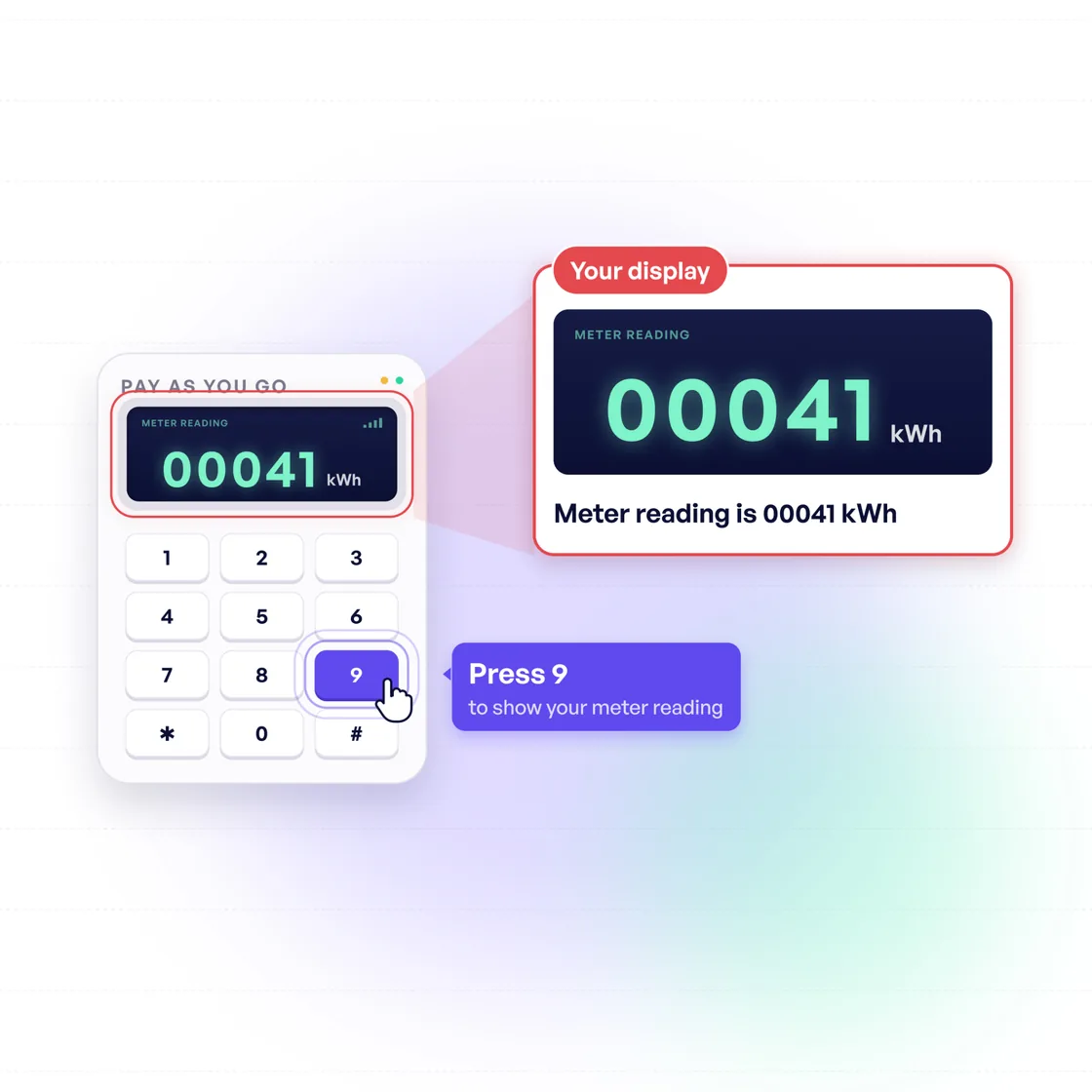
Press the number 9 on the keypad to find out how many units of electricity you’ve used. This will show your meter reading in kWh. The numbers on the screen should be read from left to right and you should include all digits.
To find out your current electricity consumption, press 6 on the keypad.
How to top up a PAYG meter
There are multiple ways to top up your PAYG meter. Electric Ireland, Bord Gáis and Pinergy customers can top up online at payzone.ie.
For other providers, you’ll need to top up your card at your nearest Payzone store. These are typically service stations or small supermarkets. The minimum you can buy is €10 and the maximum is €100.
Once you’ve got your code (written on your receipt), press the * key on your meter. You can then enter your full top-up code, followed by the # key. Your top-up code will be at least 20 digits long. You’ll see ‘ACCEPTED’ on your screen if the top up has been successful.
What happens when your balance is low?
When your credit dips below €2, your meter will alert you with a low volume alarm for two minutes. This will happen again if your balance reaches €0.
If you run out of credit, you can press 0 to activate emergency credit worth €10 and your supply will be restored.
Was this guide helpful?
Your feedback helps us improve our guides.


