
Meters & Usage
How to read your gas meter
2 min read
Knowing how to read your gas meter is simple and can help you understand your consumption better and save energy. Here’s how you can read the two types of meter, both digital and dial clock.
Finding your gas meter
Your gas meter is usually located on an external wall in a white meter box. If you live in an apartment, your meter can be found in a communal meter box, usually managed by your apartment block owner or landlord.
You’ll need a meter box key, which you may be able to buy in a local hardware store, or you can call Gas Networks Ireland on 1800 464 464 to receive a free one.
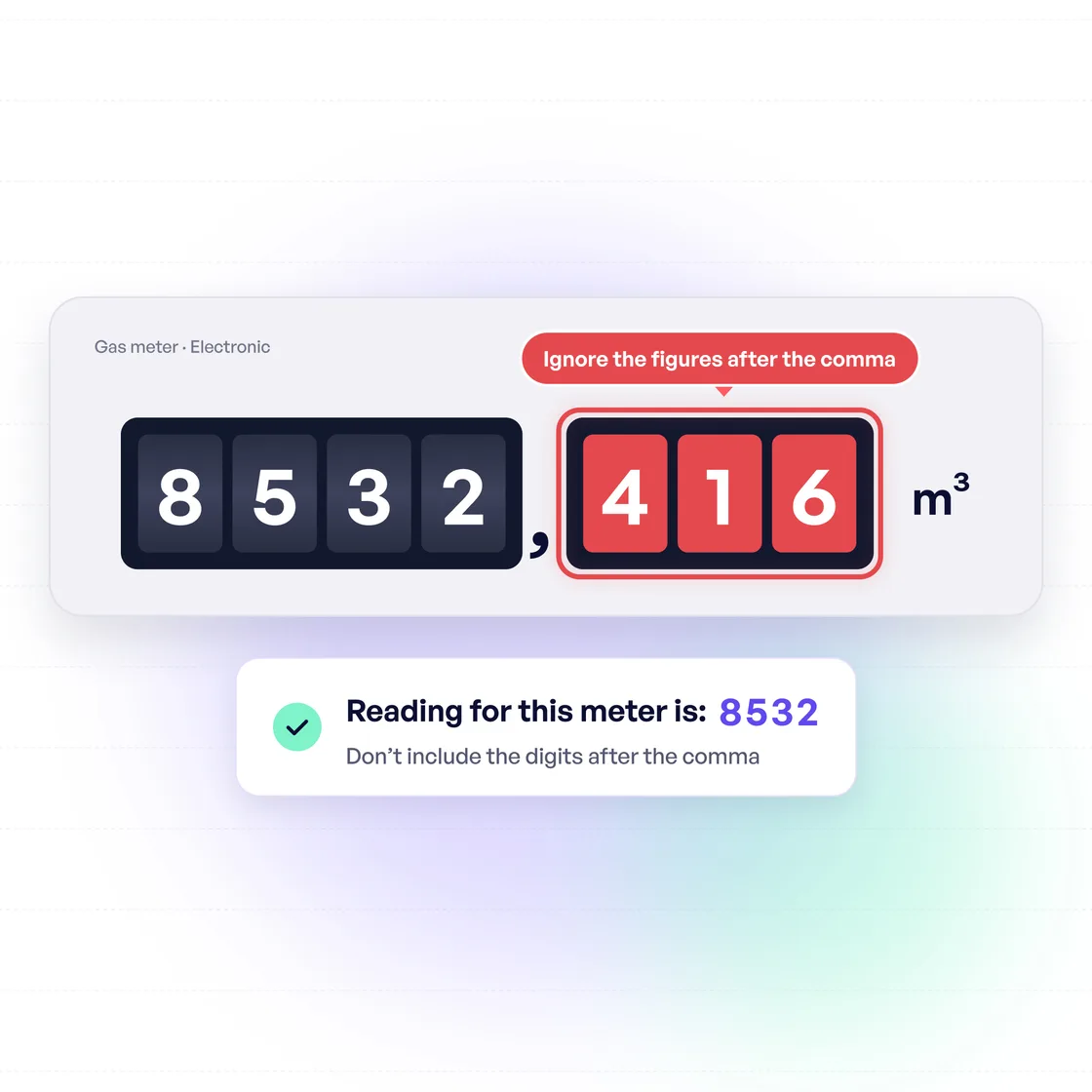
Digital / electronic meters
Reading a digital or electronic meter is relatively easy. Simply press the main button (this may be red or labelled ‘A’) to wake up the display. Read the digits from left to right, ignoring any numbers after the comma. This will tell you your total consumption in kWh, which you can use to calculate your usage or submit a meter reading.
Mechanical meters
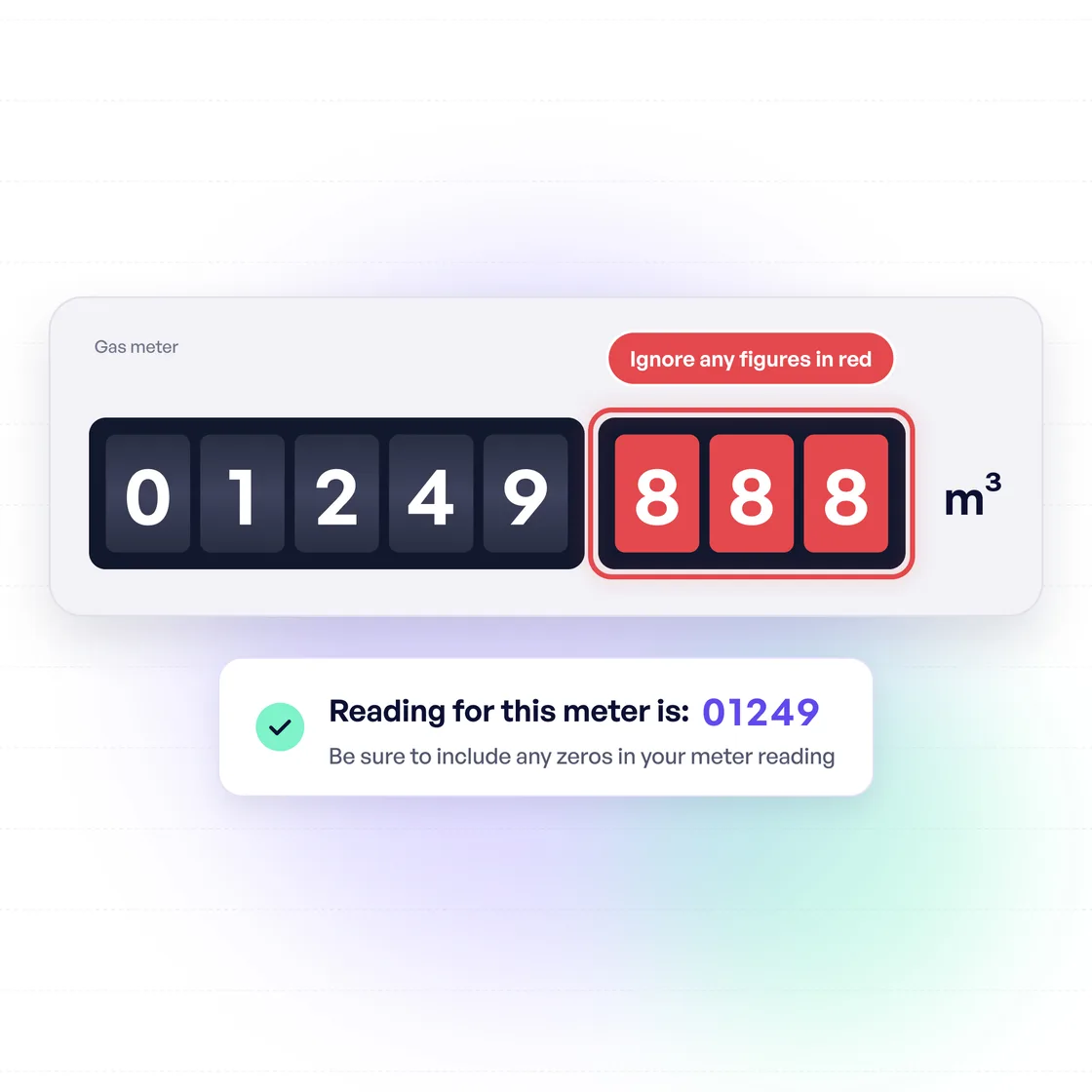
Older mechanical meters can be read in much the same way as electronic meters. You just need to read the digits from left to right, ignoring any numbers in red.
Dial clock meters
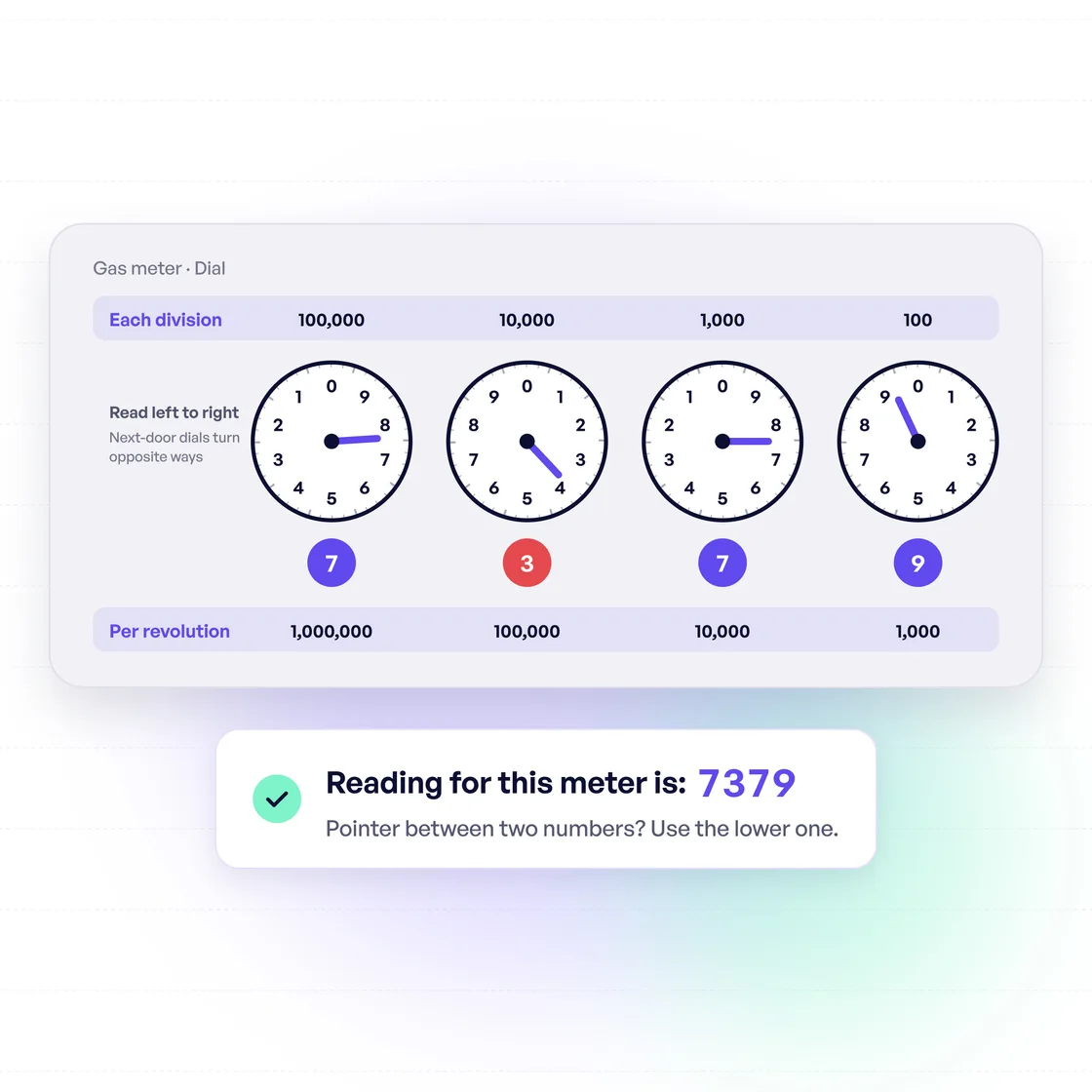
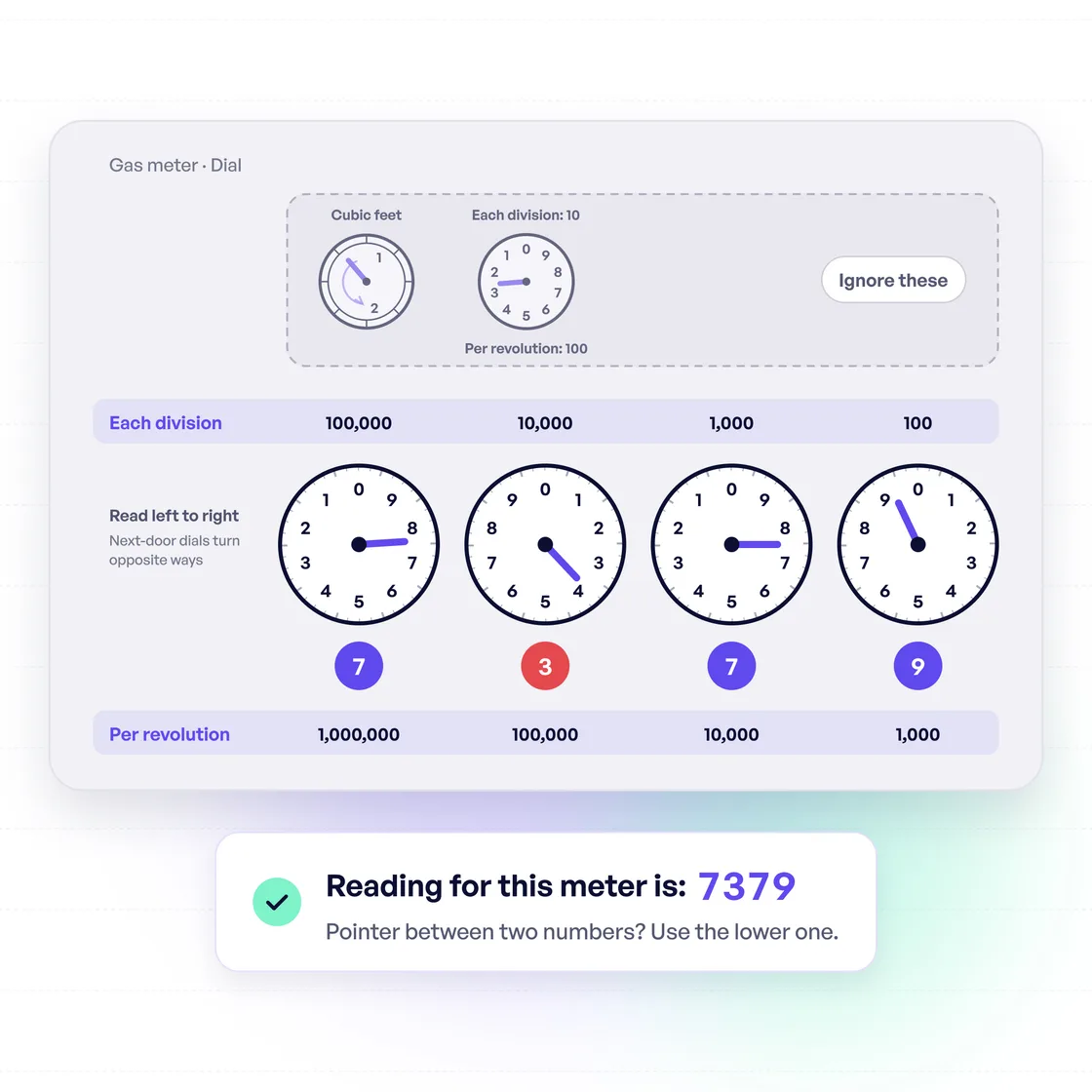
Dial clock meters are quite different, but can also be read easily. Focus on the four circles (which look like clocks) at the bottom of the display. Write down the number each dial is closest to, going from left to right. The four digits taken from these dial clocks are your meter reading.
Note: If the dial is in the middle of two numbers, use the lower number.
How to submit a gas meter reading?
Gas Networks Ireland manually reads your meter four times each year so that your supplier can estimate your annual usage. But you can also submit manual readings to avoid estimated bills.
Visit gasnetworks.ie/meter to submit your meter reading. You’ll also need your GPRN to do this.
Was this guide helpful?
Your feedback helps us improve our guides.


